The Complete Guide to Smartwatch SIM Cards: From Proper Installation to Professional Troubleshooting, Unveiling the Core of Stable Connectivity
When a smartwatch displays "No SIM Card," over 60% of the issues originate from a tiny but critical component—the SIM card connector. Today, we'll explain from a professional perspective how to avoid these frustrations.
A mainstream children's smartwatch installation guide clearly states that when installing the SIM card, you must "align the chip notch of the Nano-SIM card with the notch on the card tray." This simple act of alignment is the crucial first step to ensuring precise contact between the SIM card connector's pins and the SIM card's contacts.
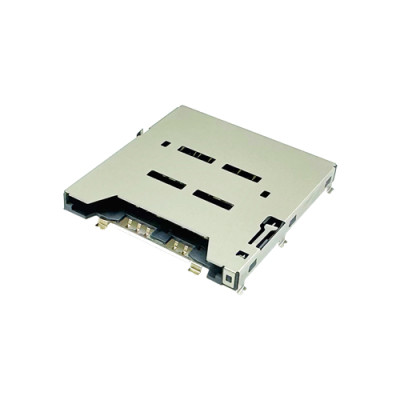
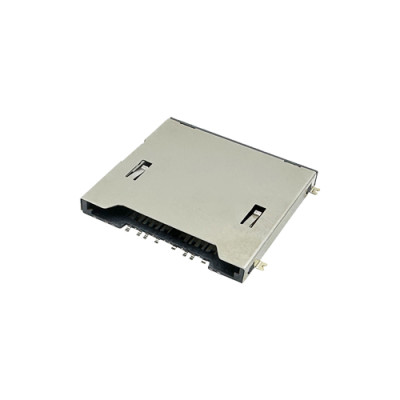
As a minuscule yet vital communication hub within wearable devices, the design and quality of the SIM card connector directly impact the user's communication experience.

Preparation: A Correct Start is Half the Battle
Preparations before SIM card installation are often overlooked, yet they form the foundation for ensuring everything proceeds smoothly. Referring to mainstream official guides, preparations should focus on two aspects: the SIM card itself and the device's condition.
According to the instructions for a popular children's watch series, the first step is confirming the use of a standard Nano-SIM card, not a cut-down card or one from a Mobile Virtual Network Operator (MVNO). For convenience, many users cut larger cards down to Nano size themselves. This easily results in a non-standard card size, preventing full contact with the connector's pins upon insertion.
Next is confirming the SIM card's service status. Official guides specifically note the need to activate "voice, SMS, caller ID, and data services." Data services are crucial for functions like location tracking. A monthly plan with no less than 2GB of data is recommended to ensure all features work properly.
Regarding the device, ensure the watch has sufficient battery (recommended above 30%) and prepare a suitable SIM ejector tool. A general troubleshooting guide also emphasizes this point, as devices may disable mobile networks in low-power states to conserve energy.
The ancient proverb, "A craftsman must first sharpen his tools," is perfectly exemplified in the SIM card installation process. The root causes of many communication failures are often hidden within these seemingly minor preparatory details.
Precise Installation: Every Step is Crucial
Although the installation process is simple, each step carries technical significance. A mainstream smartwatch guide details this process: gently press the SIM ejector tool into the hole on the watch's side to eject the tray. Then, place the Nano-SIM card with its metal contacts facing down, aligning the card's notch with the indicator on the tray.
This "alignment" is not arbitrary. The precise arrangement of pins inside the SIM card connector must correspond perfectly with the contact layout on the SIM card chip. Incorrect orientation causes misalignment of contacts, leading at best to failure in recognition, and at worst, potential damage to the connector or the SIM card itself.
During installation, apply gentle pressure to ensure the card sits flush, then push the tray back into the watch body. The guide specifically emphasizes needing to hear a "click" when pushing the tray back in. This sound indicates the tray is fully seated, and the SIM card is securely locked in place within the connector, maintaining stable contact.
The location of the SIM card slot may vary between different watch models, but the fundamental principle remains the same. Popular children's watch series provide diagrams for different models to help users locate it accurately.
The ingenious design of the SIM card connector is fully demonstrated in this process. A high-quality connector's tray mechanism provides clear, tactile feedback when fully inserted, ensuring consistent contact quality with every installation. This is the foundational guarantee for stable communication.
System Setup: Activating the Watch's Communication Capabilities
After hardware installation is complete, software configuration is equally important. A smartwatch guide details the system setup path: navigate to the configuration interface via Settings > Network & Connectivity > SIM Card Management.
Within this interface, users can label their SIM cards, set default cards (for voice, SMS, and data), and enable smart switching features. These settings essentially configure how the device interacts with the communication resources delivered via the SIM card connector.
Particularly noteworthy is the "Smart Switching" feature—automatically switching to the secondary SIM when the primary SIM's signal is weak. The implementation of this feature relies not only on software algorithms but also on the SIM card connector's ability to stably and swiftly switch the electrical signal connection between the two cards.
APN (Access Point Name) configuration is another critical step. As mentioned in the troubleshooting section, if data connection fails, you need to go to Mobile Network > Access Point Names and manually enter the parameters provided by your carrier. Incorrect APN settings are a common cause for having "signal but no data."
For eSIM users, the setup process differs, but the core principle is similar—both require configuring and managing communication resources at the software level to ensure the device correctly recognizes and utilizes the network services provided by the SIM.
Systematic Troubleshooting: A Logical Escalation Path
When SIM card issues arise, a systematic troubleshooting framework is highly practical. This framework follows a logical escalation from simple to complex steps, preventing users from wasting time on unnecessary procedures.
Start with Quick Checks: Restart the watch, check Airplane Mode, confirm signal coverage, verify SIM card installation and orientation, and check battery level. These basic steps resolve over 40% of common issues.
If quick checks don't work, proceed to Account and Carrier Setting Verification: Confirm the SIM service is active, the device is authorized, and network bands are compatible. For eSIM, also ensure the provisioning profile is correctly installed and activated.
Software Troubleshooting comes next: Check for system and carrier updates, reset network settings, reinstall the SIM/eSIM profile, unpair and re-pair the connected phone. Guides also suggest trying to "restart the watch and reinsert the card" if the SIM is not recognized.
Advanced Diagnostics involve cross-testing: Test the SIM card in another device, or test a different, known-working SIM card in the watch. This helps isolate whether the problem lies with the SIM card itself or the device. Also, check IMEI/ICCID recognition and inspect the SIM card connector for any physical damage.
The Connector Core: The Hardware Foundation of Stable Communication
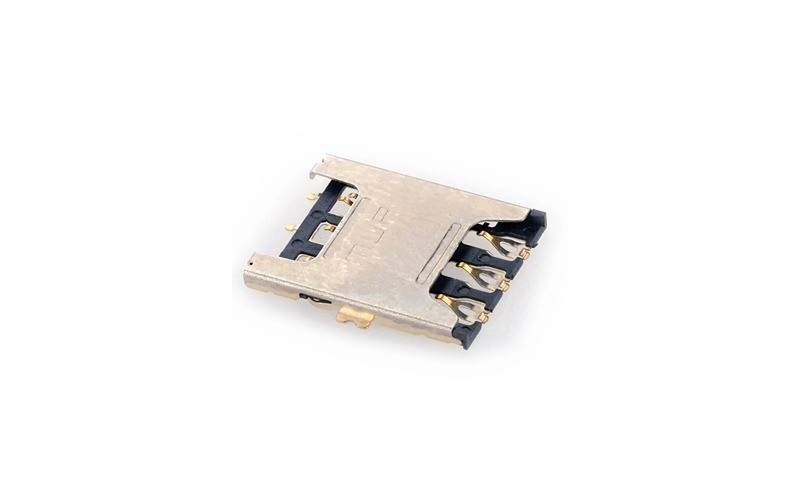
The SIM card connector in a smartwatch is a highly integrated, precision component. As a SIM card connector manufacturer with over 20 years of deep industry experience, we at MoarConn understand the decisive impact this tiny part has on communication quality.
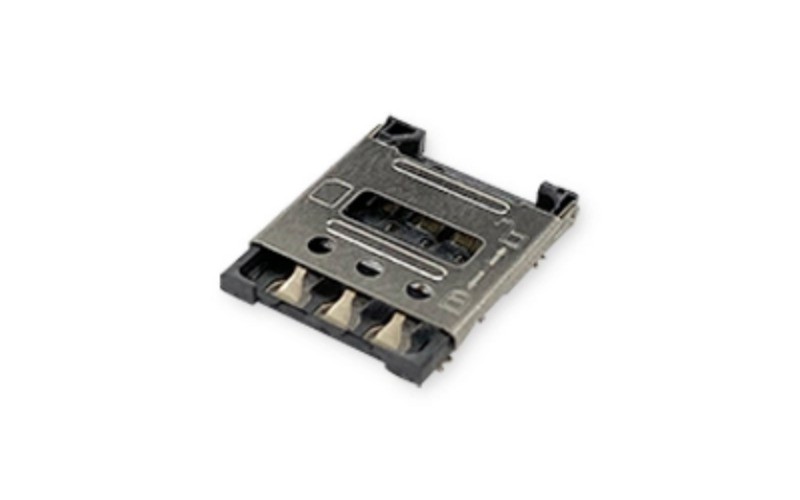
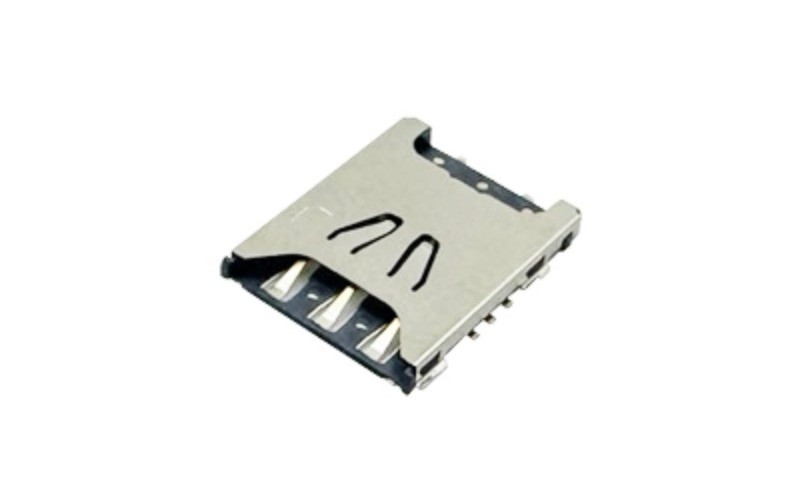
Take the Nano SIM card connector we developed for smartwatches as an example. It must meet stringent requirements for compactness, stability, high-speed transmission, and durability. The internal space of a smartwatch is extremely limited. The connector must maintain excellent electrical performance while being miniaturized.
The contact pins of a SIM card connector typically employ special plating processes to ensure a low-resistance, highly conductive connection even after numerous insertion and removal cycles. Our products undergo rigorous testing, with insertion/withdrawal cycle life far exceeding industry standards, providing users with a lasting and reliable connection experience.
The structural design of the connector is also crucial. High-quality connectors often feature self-cleaning contact designs to reduce the impact of oxidation and contamination. The precision tray mechanism ensures the SIM card contacts the pins with the same position and pressure every time, guaranteeing signal stability.
In waterproof smartwatches, the SIM card connector also requires special sealing designs to prevent moisture ingress, which can cause short circuits or corrosion. This is a key element in achieving the device's waterproof rating and reflects the manufacturer's technical capabilities.
Professional Solutions: When Faults Exceed User Self-Help
If the problem persists after all user-level troubleshooting steps, it may indicate a hardware-level fault. This requires professional diagnosis and repair. General guides also note that hardware failures such as damaged SIM connectors, water damage, or communication module malfunctions typically require professional handling.
Potential issues with SIM card connectors include: oxidized or contaminated contacts, loss of spring tension in the pins, damage to the tray mechanism, or detachment of solder joints. Diagnosing and repairing these issues requires professional tools and expertise.
As a connector manufacturer, we at MoarConn not only supply products but also provide comprehensive technical support and failure analysis services to our partners. When device manufacturers encounter communication stability issues, our engineering team can offer professional analysis from the connector perspective, helping to quickly pinpoint the root cause.
For devices still under warranty, it is advisable to first contact the manufacturer or an authorized service center. If a connector issue is confirmed, the device manufacturer can collaborate directly with us to obtain original-standard replacement components and technical support.
In rare cases, communication issues may be related to the watch's mainboard design or antenna system. This requires more comprehensive system-level diagnosis. Our successful collaboration experience with multiple smart wearable device manufacturers enables us to analyze and resolve complex communication problems from a systemic perspective.
When a children's watch pinpoints a child's location, when a sports watch stays connected in the wilderness, when a business watch silently vibrates during a meeting, behind it all is the SIM card connector, smaller than a fingernail, working silently. It acts as the gatekeeper between the digital and physical worlds, where every stable connection originates from precise contact measured in fractions of a millimeter.
When the watch's card tray emits a soft "click," the complex fault tree diagram hasn't yet unfolded. Meanwhile, on the MoarConn production line, another micro-connector is undergoing its 5,000th insertion/withdrawal cycle test.